How to Buy Litecoin: Payment Methods to Wallet in 2026
How to buy Litecoin step by step: pick a payment method, enter a compatible LTC wallet address, check fees and avoid common scams.
You've got a checkout page open, an amount typed into a box marked USD, and a Litecoin address pasted in from your phone. The pay buttons are right there. It looks like buying anything else online, which is exactly why so many first purchases go sideways: crypto checkout has no chargeback, no "cancel order" button, and no customer service line that can pull coins back out of a stranger's wallet.
Most guides answer the wrong question first. They compare exchanges, when the platform matters far less than three linked decisions: the payment route and its true total cost, the wallet address you send to, and whether you're holding or spending the coin afterward. Get those right and almost any reputable provider will do. Get them wrong and the cheapest exchange in the market still costs you the full amount.
The order that works is the reverse of what feels natural. Verify the destination before any money moves, price the route before you type an amount, and decide the purpose before you press confirm.
Choose a Payment Method and Its Total Cost
The payment route decides how much of your money arrives as Litecoin, and buyers usually pick it last. Start here instead. Before comparing platforms, find out which methods your bank lets through and what each one adds on top of the coin price.
| Payment method | What you pay | What to watch for |
|---|---|---|
| Debit card | Card processing fee plus the provider spread | Foreign-currency cards add an issuer FX charge |
| Credit card | Card processing fee plus the provider spread | Some issuers block or flag crypto purchases |
| Apple Pay or Google Pay | Fee of the underlying debit or credit card | Available only where the provider supports the wallet |
| PayPal or Revolut | Provider-specific fee plus the provider spread | Availability depends on your country and account |
| Bank transfer | Usually a lower fee than cards, plus the provider spread | Slower settlement and reference-matching rules vary by bank |
The card that gets declined after you've committed
Some issuers block or flag crypto purchases, and the block often lands after you've entered an amount and worked through the checkout. Open your banking app's card controls before you start, and have a second method ready. A declined authorization is a minor annoyance. An authorization that sits pending for days while the quote moves is a real cost.
The currency mismatch nobody prices in
If your card is denominated in a different currency than the one the provider quotes, your issuer adds a foreign-exchange charge on top of the provider's spread. Two markups, one of which never appears on the checkout page. Paying in the card's own currency removes one of them.
Digital wallets have no fee schedule of their own. Apple Pay and Google Pay carry the fee of the debit or credit card underneath, so they work as a convenience layer rather than a discount. A bank transfer typically costs less than a card but settles more slowly and depends on your bank passing the payment reference through cleanly.
Take a $200 order paid by card in your home currency: a 3% processing fee costs $6 and a 1% spread costs another $2, so roughly $192 of LTC reaches you before any withdrawal fee. Add a currency conversion and the gap widens again.
Practical rule: compare the Litecoin you will receive, not the market ticker, and read the fee line before you confirm.
Price the full stack before you compare providers: the quoted LTC price, the card-processing fee, the provider spread, the blockchain withdrawal fee, the foreign-exchange charge and any later wallet-swap cost. Checkout pages that lump these into one figure make comparison harder, so do the separation yourself. The same mechanics apply to any card-to-crypto purchase, including buying Bitcoin with a credit card.
At NexaPay, buyers enter an amount in USD, EUR, GBP or UAH, choose the asset and pay by card, Apple Pay or Google Pay, with no account required for a basic purchase. Most orders complete within 5 to 15 minutes after payment confirmation, though delivery times shift with network congestion. Choose the lowest total cost your bank allows, and confirm the provider supports that method in your country before you enter a figure.
Red Flags to Check Before You Pay
The most common pattern doesn't look like theft at first. Someone you met online, or a message that arrives out of nowhere, promises guaranteed returns on a "Litecoin opportunity", asks for an urgent verification payment to complete your transfer, or offers to recover crypto you already lost. Each version ends the same way: money leaves your account, and nothing comes back.
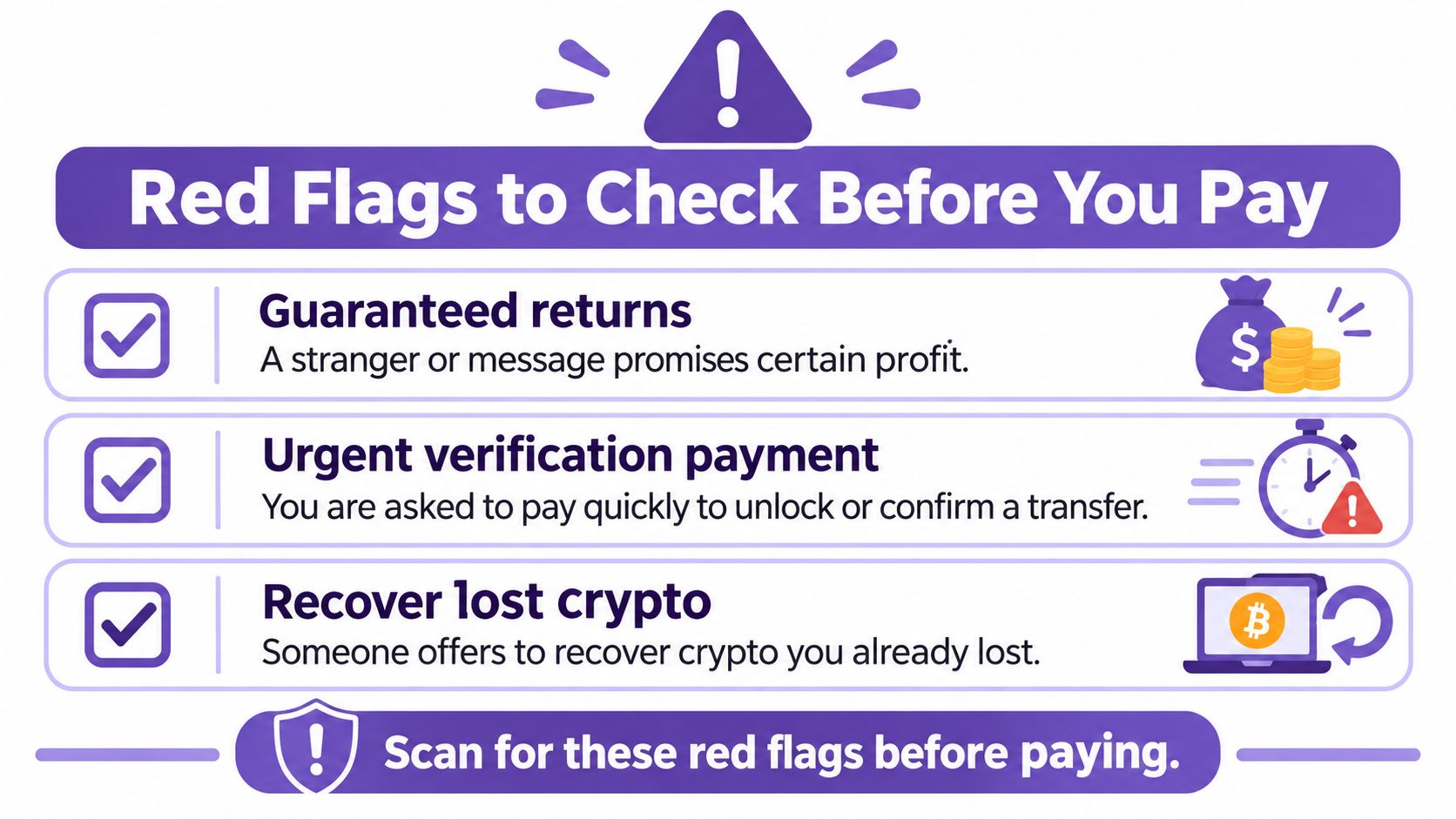
Scan for these before any payment:
- Guaranteed returns. No legitimate purchase of a volatile asset comes with a promised profit.
- Urgent verification payments. Real compliance is tied to your order and doesn't expire in ten minutes.
- Remote access requests. Anyone asking to install software on your device and "help" is taking the wallet, not fixing it.
- Recovery offers. Someone who says they can retrieve lost crypto is asking for a second payment.
- An unrelated destination wallet. If the address you're told to send to isn't the one your order names, stop.
- Unusual personal data. Identity checks are normal; requests for data that doesn't match the transaction aren't.
The scale is worth understanding. The FTC reported that since the start of 2021, more than 46,000 people reported losing over $1 billion in cryptocurrency scams, with a median reported individual loss of $2,600, and crypto was involved in about one out of every four dollars reported lost in that dataset (FTC data spotlight). Those are reports, not a measure of how often legitimate purchases fail, but they explain why an irreversible transfer deserves stronger checks than a card payment at a shop.
Practical rule: type the provider's domain yourself rather than following a link, and confirm the checkout names Litecoin and the correct network.
Keep the order receipt, the quoted rate and the blockchain transaction ID for anything larger than a test purchase. If you're weighing providers that skip identity checks, how no-ID crypto purchases actually work is a useful reality check on what you give up in exchange.
Providing a Compatible Litecoin Wallet Address
A compatible address is one whose format both ends of the transfer accept. That sounds trivial until you understand the failure mode: blockchain transfers generally cannot be reversed, so a wrong address doesn't bounce back, it just becomes someone else's balance. Litecoin uses three common formats, and every wallet and provider handles at least one of them.
| Address starts with | Format | What to confirm |
|---|---|---|
| L | Legacy address | Both the provider and your wallet accept L addresses |
| M | Wrapped SegWit address | Both ends support wrapped SegWit before you send |
| ltc1 | Native SegWit (bech32) address | Both ends support native SegWit; fees can differ by format |
Copy the address from your own wallet app, never from a chat message or an email, and run this routine before anything larger than a test moves:
- Compare both ends. Check the first four and last four characters on your wallet screen against what appears on the order page.
- Confirm the network. The order must name Litecoin, not another chain that uses similar-looking addresses.
- Check the format. An
ltc1address won't always be accepted by an older provider, and a legacyLaddress won't always be accepted by a wallet set up for native SegWit only. - Send a test withdrawal. Move a small amount first, and wait for it to arrive.
- Send the remainder. Only after the test lands at the exact address you verified.
A hardware wallet protects your recovery phrase. It does not reverse a bad transfer.
The two most common losses are buying on the wrong network and pasting a clipboard-swapped address, and both are caught by the test withdrawal. The quieter trap is assuming a balance on an exchange is the same as holding LTC in a wallet you control. It isn't. When you send to your own wallet, you take on address accuracy, backups and recovery yourself, which is the trade for removing platform custody risk.
NexaPay sends purchased crypto directly to any external wallet you supply, so the destination address is part of the order rather than a later withdrawal step. The checkpoint is simple: the test amount arrived at the exact address you checked. If it didn't, stop and re-verify before sending more. The Litecoin learning materials set out the confirmation guidance behind that routine, including why a broadcast transaction isn't settled until it's confirmed. The same verify-first order of operations carries across assets, and this walkthrough of how to buy cryptocurrency sets out the wider sequence.
How to Buy Litecoin Step by Step
A purchase runs in six moves, and most of the failures happen because someone skips ahead. Each step below comes with the reason it exists and the slip it prevents.
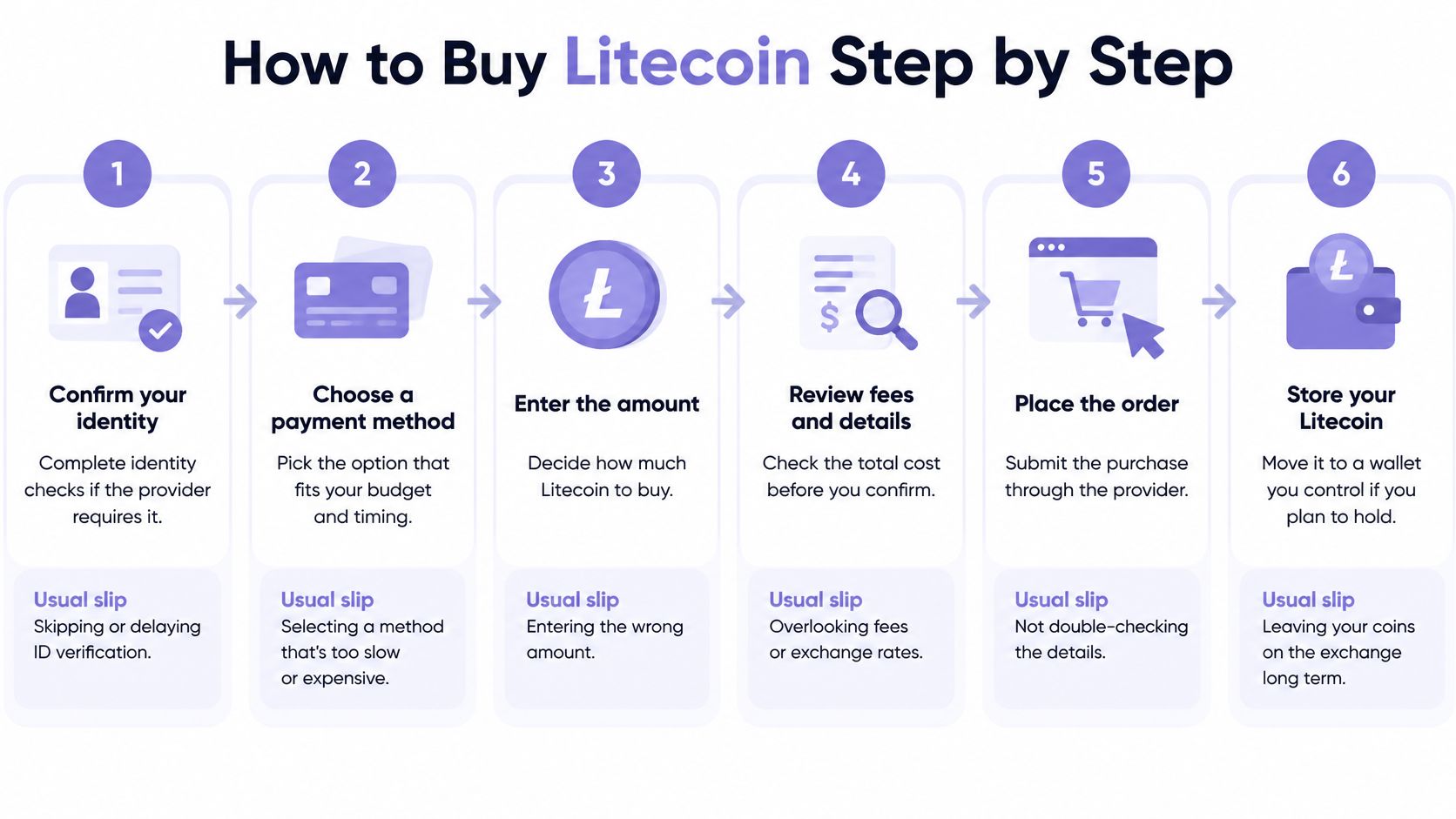
1. Confirm your identity if the provider requires it. Some orders can't complete until verification clears, and starting a purchase before that leaves you watching a quote expire. The slip: leaving verification to the last minute.
2. Choose the amount to spend in your own currency. The quote is for a fiat amount, not a fixed number of coins, and entering the wrong currency throws off the whole calculation. NexaPay takes amounts in USD, EUR, GBP or UAH, among others.
3. Select Litecoin and check the ticker is LTC. Similar-sounding tokens exist, and a wrong selection sends you into a different asset with a different network. This is also where Litecoin's track record is worth a glance: the network launched in 2011 and processed more than 92 million transactions during 2024, up from approximately 67 million in 2023, a rise of about 37% (Litecoin's 15-year review). That measures network use, not investment performance, and the two shouldn't be confused.
4. Enter your own address in a format you've already verified. Pasting an address from a message is the single most expensive shortcut in this process.
5. Pick your payment method and read the fee line. Payment options typically include credit card, Apple Pay, Google Pay, Revolut or PayPal, and the quoted LTC amount, the fee and the total should all be on screen before you commit. Save the receipt at this point, not afterward.
6. Buy a small test amount, withdraw it, confirm arrival, then order the rest. Two orders cost you a few extra minutes. One wrong order costs you the balance.
Basic purchases on NexaPay don't need an account: you enter the amount, supply a wallet address and complete payment. Here's the process in motion:
A finished order should look like four things: an order ID, the LTC amount you received, a visible fee line, and a destination address that matches the one you typed. If any of those is missing, you don't yet have a record you can reconcile.
Hold or Spend and Keep a Purchase Record
The last decision is the one that should come first: is this Litecoin for holding or for spending? The answer changes what you check, and it changes how much the surrounding infrastructure matters.
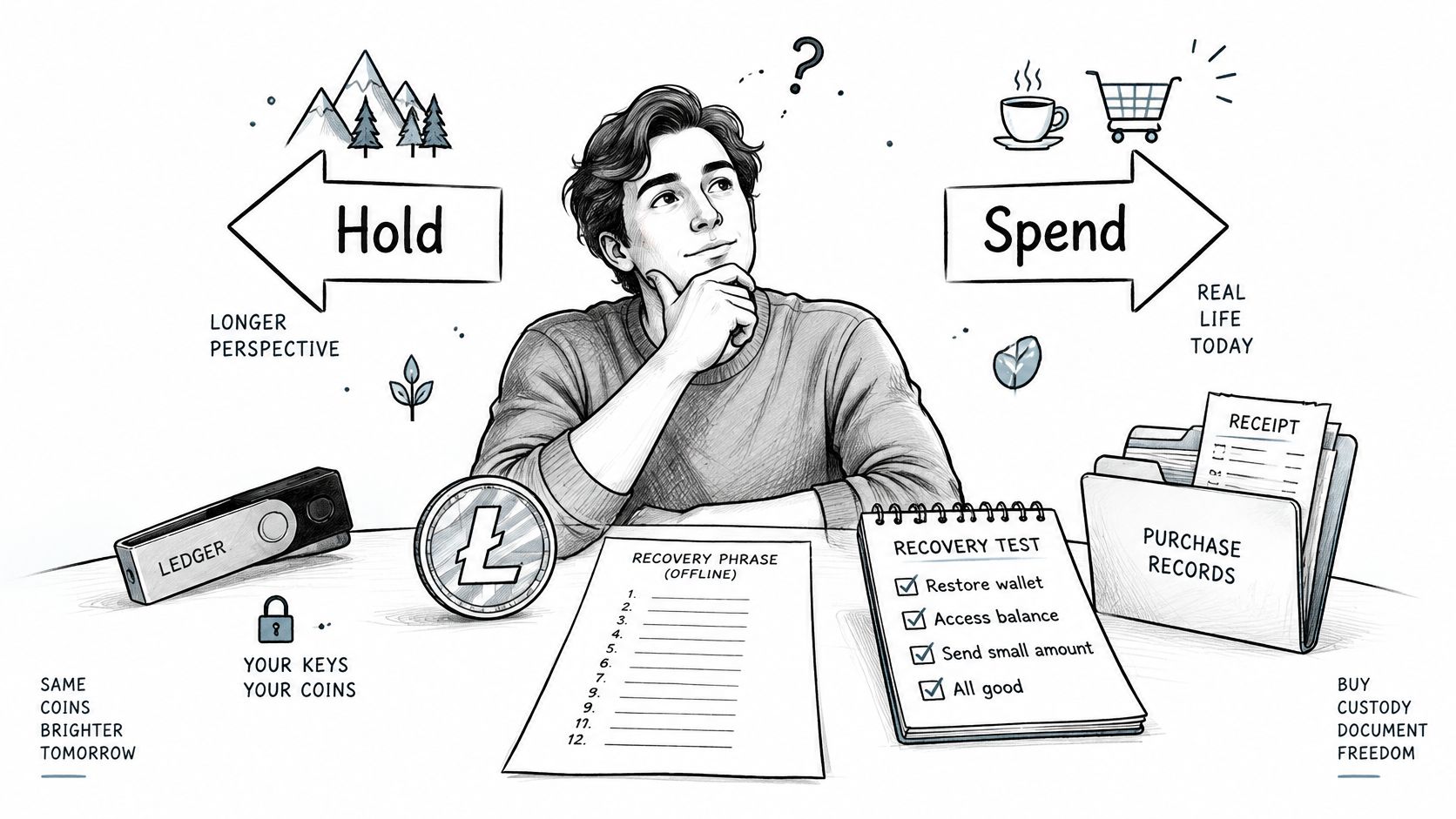
If you're holding, custody is the whole job. Use a wallet you control, write the recovery phrase down offline, and test a recovery before you deposit a meaningful balance. A hardware device protects that phrase; it still won't undo a mistaken transfer, so the address checks apply every time you send. NexaPay supports 40+ cryptocurrencies, which matters mostly if you plan to hold more than one asset and want fewer places to manage them.
If you're spending, the merchant check happens before the purchase. Confirm the merchant accepts native LTC rather than routing through an intermediary conversion, that your region is supported, any minimum amount, the required number of confirmations, and roughly how long that wait runs. Litecoin does see use as a payment coin at some merchants, and coverage of Litecoin's payments use tracks that adoption. One processor's transaction mix still describes only its own customer base and the industries it happens to serve, so it can't tell you whether your merchant takes LTC. Asking the merchant directly tells you more about your specific payment than any platform-wide figure.
Then keep a record for every order. Buying alone may not be taxable in every jurisdiction, while selling, swapping or spending later can create reporting obligations that vary by country. The record that settles it:
- Date and fiat amount spent, in the currency you paid
- LTC received, separate from the quoted price
- Every fee, including card processing, spread and withdrawal
- Wallet address the coins went to
- Transaction ID, saved with the order receipt
That record takes two minutes at purchase and saves an afternoon at tax time. It also settles disputes, and it's the only way to know your real cost basis rather than the number on the checkout screen.
NexaPay is built for exactly this sequence: enter an amount in USD, EUR, GBP or UAH, choose Litecoin or one of 40+ supported assets, pay by credit card, Apple Pay, Google Pay, Revolut or PayPal, and have the coins delivered straight to an external wallet you control, so the destination is verified before the money moves. Most orders complete within 5 to 15 minutes of payment confirmation, and no account is needed for a basic purchase. Visit NexaPay to run a small test order first and confirm the format your wallet accepts.