How Do We Buy Crypto: A Step-by-Step Guide
How do we buy crypto? Pick the asset, pay by card or wallet, verify the network and address, then check delivery. Steps, costs and safety checks.
Most guides treat how do we buy crypto as one checkout button. That skips the decision that determines the outcome: whether the asset lands in a wallet you control or stays on a platform until you withdraw it. A successful card charge is not the same thing as correct delivery. The route sets the first steps, the asset only makes sense once you know who receives it, and the address decides whether a mistake can be undone.
Choose Your Buying Route Before You Pay
The World Bank Global Findex 2021 found that 64% of adults worldwide made or received at least one digital payment during the year, and 95% of adults in high-income economies did so in 2021. Cards, phones and online checkouts are now the default expectation. Crypto buying still splits into three routes, and the route, not the coin, sets the first set of steps.
| Route | Account needed | Payment options | Delivered to | Best when |
|---|---|---|---|---|
| Card or wallet checkout through a provider | No, for basic purchases | Visa, Mastercard, American Express, Apple Pay, Google Pay | Any external wallet you name | You want crypto in your own wallet without opening an exchange account |
| Exchange account | Yes, with identity checks | Bank transfer or card, depending on the exchange | Exchange balance, or your wallet after withdrawal | You plan to trade or hold on one platform |
| Peer-to-peer or app purchase | Often yes, and the app sets the rules | Bank transfer, cash, or the app's own balance | Wallet or app balance | You trust the counterparty and understand the payment terms |
On the first route, no account is required for basic purchases. You enter the amount, the wallet address and complete payment. NexaPay Instant accepts Visa, Mastercard, American Express, Apple Pay and Google Pay. The second route keeps custody on the exchange until you withdraw, which suits frequent trading and costs you time on identity review. The third puts you opposite another person, so payment terms and counterparty risk sit with the app, not a card network. If you want the asset in your own wallet without an exchange account, the no-ID card path is the one to compare first.
The split that matters: do you want to hold the crypto in a wallet you control, or on a platform?
If you need the asset in your own wallet now, route 1 fits. If you plan to trade often, route 2 usually fits better. Settle the route before you pick an asset or type a card number.
What You Need Before You Buy
Open the checkout only after these five items are ready. Missing one is how people paste a half-checked address or stall at verification.
- A wallet you control. Install a reputable wallet app that supports the network of the asset you plan to buy. Note whether it is self-custody. A balance sitting on an exchange is not yours until you withdraw it.
- A payment method the provider accepts. Confirm that your Visa, Mastercard or American Express card, or Apple Pay or Google Pay, works in your country. Some providers block specific cards or regions even when the brand looks familiar.
- Identity documents, if you chose an exchange. Expect to upload an ID and proof of address, and leave time for review before the first deposit. A card checkout for a basic purchase does not ask for an account, so this item only applies if you picked route 2.
- The currency you will spend. Decide the fiat amount in USD, EUR, GBP or another supported currency, and set a limit you can afford to lose. That number is what leaves your account, not the crypto quantity you will receive.
- Your wallet address and network. Copy the receiving address from your own wallet app and confirm which network it uses. The address has to match the asset and network selected at checkout.
With those five ready, the card steps can finish in one sitting.
Pick the Asset Your Purpose Needs
Start with the job, not the ticker. Bitcoin, Ethereum, stablecoins and newer tokens are not interchangeable, and buying one does not automatically give you a way to pay.
| Purpose | Typical asset | Main trade-off |
|---|---|---|
| Long-term holding | Bitcoin or Ethereum | Large price swings over short periods |
| Paying a merchant | USDC or USDT, if the merchant accepts it | Recipient and network must match exactly |
| Sending money abroad | Stablecoin on a low-fee network | Network, issuer and liquidity risk |
| Speculating on newer tokens | A specific token | Thin liquidity and higher scam risk |
The Federal Reserve Bank of Kansas City reports that U.S. consumers' crypto payment usage remained below 2% and declined slightly in recent years. The leading reason people paid with crypto was that the recipient preferred it, not superior privacy, speed, cost or safety. That is why the person on the other side matters more than the token you like.
A dollar-pegged or euro-pegged token can cut price swings during a transfer. It still carries network, issuer, regulatory, liquidity and acceptance risk. A merchant who only takes USDC on one network will not credit USDT on another, even if both look like dollars on the quote screen. If you are weighing a long hold, the practical comparison is Ethereum or Bitcoin, not a list of trending tickers.
Answer three questions before you choose.
- Who receives it? A merchant, a family member, or only you.
- Which network do they use? The name on the token is not enough.
- How much fee can you tolerate? A cheap network can still fail if the recipient's wallet does not support it.
How to Buy Crypto With a Card, Step by Step
This procedure is the card route only. You are spending fiat. The crypto quantity on the confirmation screen is what you should check, not the headline price.
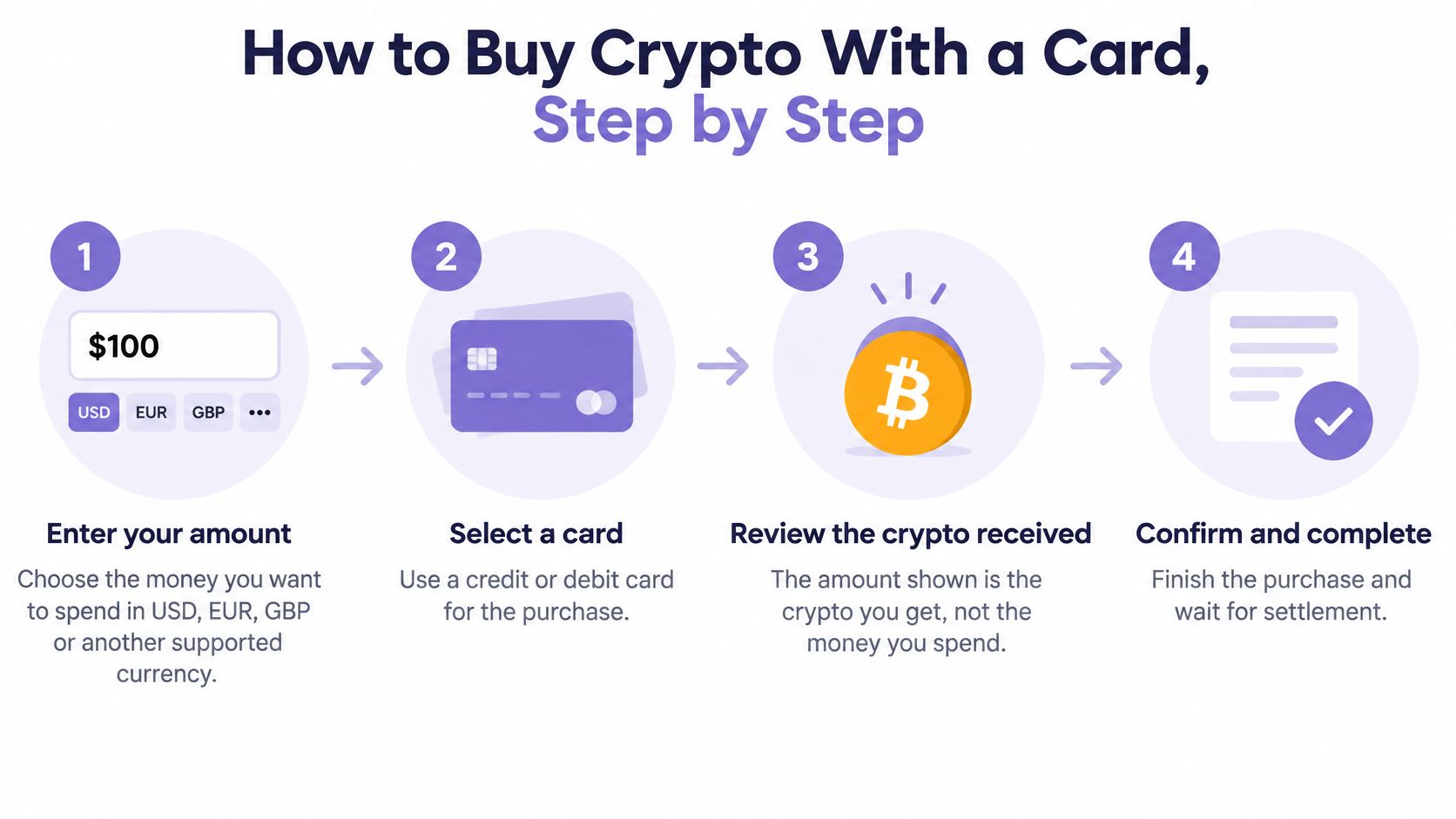
- Enter the amount you want to spend in USD, EUR, GBP or UAH. That figure is the money leaving you, not the crypto arriving. The common slip is treating the spend amount as the quantity of Bitcoin or USDC you will get.
- Choose the crypto, such as Bitcoin, Ethereum, USDT, USDC or Solana, and read the price shown before you continue. People often pick a familiar name and skip the network label sitting next to it.
- Paste the external wallet address, copied from your wallet app rather than from a message. One wrong character sends the asset somewhere you do not control. Crypto bought this way can go to any external wallet you name, which is also why a pasted chat address is dangerous.
- Pick the payment method. A Visa or Mastercard card, Apple Pay or Google Pay all sit on the provider's checkout, and some flows also offer Revolut or PayPal. Using a card your bank blocks for crypto purchases is the slip that looks like a site error.
- Complete the hosted checkout. You are redirected to the provider's page, where you enter card details yourself and confirm the payment. No charge happens until you confirm. Do not assume a prefilled screen has already billed you.
- Wait for delivery. The transfer is typically initiated within one to two minutes after payment confirmation, and the crypto is delivered directly to your wallet. Busy networks, or a risk check on the payment, can slow that window. Refreshing and paying twice is the expensive version of impatience.
What a finished order looks like
A successful order shows a confirmation screen, a transaction ID you can record, and the new balance in your wallet. If the screen confirms payment but the wallet stays empty, keep the ID and check the network before you try again. Do not start a second payment to "nudge" the first.
Check the Address and Network Before You Send
A card payment can be disputed. Crypto sent to a wallet cannot. Convenience is not safety. Card checkout removes the exchange-account step, and it also means you, not the payment processor, control the destination after settlement. Any error in that destination is permanent.
The CFPB complaint bulletin on crypto assets identifies phishing and social engineering as methods used to obtain wallet or account information, and warns that legitimate governments or businesses will not require consumers to buy cryptocurrency. That is the reason the last item on this list is not optional.
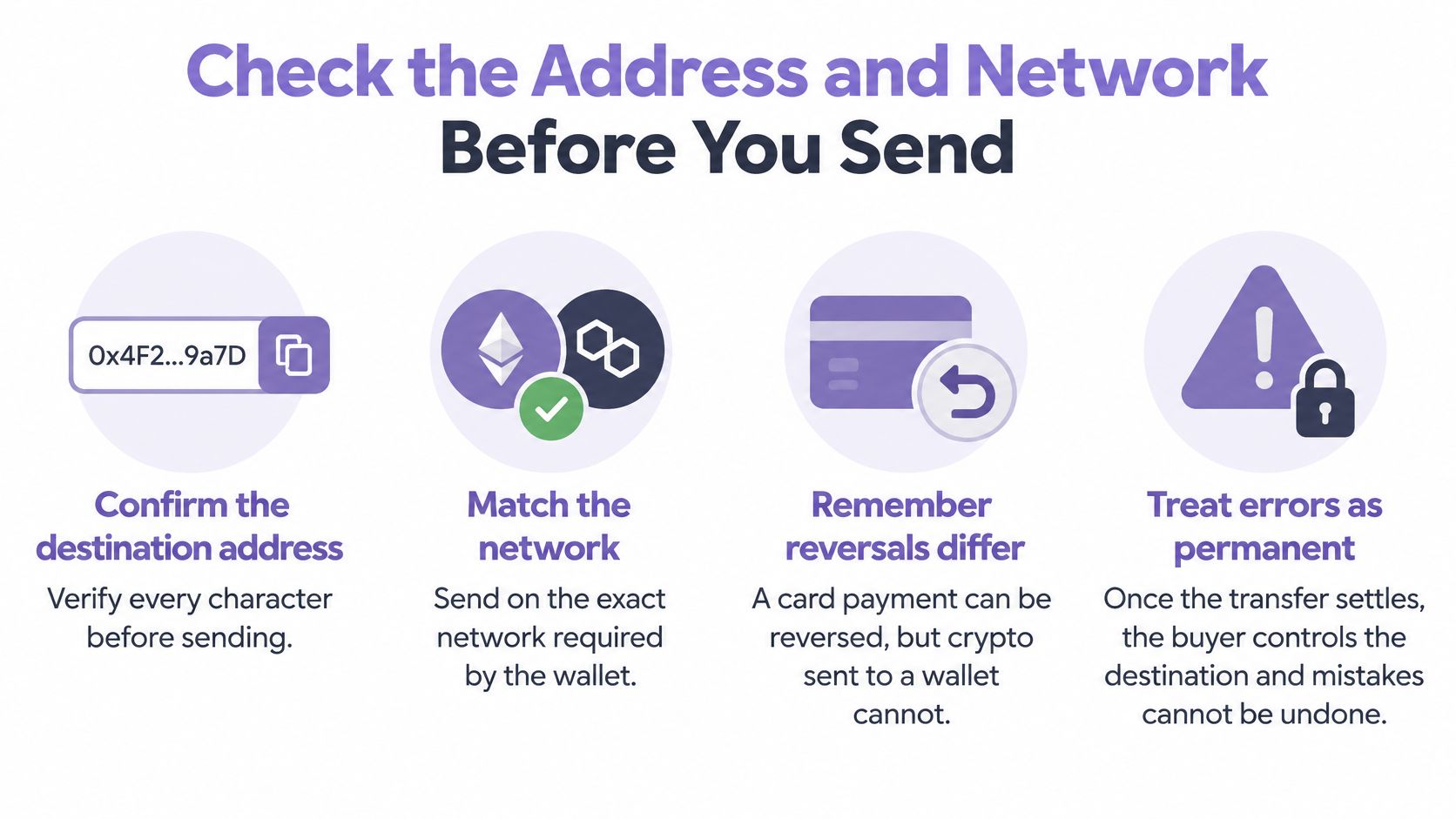
- Copy the address yourself. Take it from your own wallet app. Never from a chat message, email or screenshot, because those are the usual places a swapped address hides.
- Match the network to the asset. An ERC-20 token sent to an incompatible network can be unrecoverable. Some checkouts let you paste an address without clearly showing the selected network, so you have to check it yourself.
- Verify the token contract, not just the name. Two tokens can share a ticker. The contract is what the wallet will receive.
- Confirm the receiving wallet supports that asset before you pay. Support for "Ethereum" does not mean support for every token that rides that network.
- Treat urgent buy requests as scams. Supposed officials, merchants or support staff who insist you buy crypto right now are not doing a normal job. Governments and ordinary businesses do not require it.
A two-minute address check is cheaper than any fee on the quote. The small test in the last step is how you prove the check worked.
What Fees and Timing Change the Final Cost
Read the quote as three parts, not one price.
The provider or card fee is the first cut, charged on the fiat you spend. The conversion spread is the gap between the currency you pay in and the crypto you receive. The network fee is taken when the asset is delivered, and it changes with congestion.
Say you spend 100 USD, the quote shows a 3% card fee, and the spread is about 1%. You do not receive 100 dollars of crypto. You receive whatever quantity remains after those cuts, minus any network fee at delivery. Compare the crypto quantity on the confirmation screen with the quantity you expected. The spend amount and the received amount are different numbers on purpose.
Costs also move by provider, region and payment method, so the same purchase can price differently on two platforms. A credit card path often carries a higher fee than a debit card or a bank-funded exchange buy, which is worth reading before you buy Bitcoin with a credit card.
Timing stretches past the usual one-to-two-minute start. Congested networks delay the on-chain leg. Identity or risk checks can hold a payment for review even after the card looks approved. Screenshot the quote before you pay, then compare it with the amount that arrives. If the two do not match, you have a record, not a guess.
Confirm Your Route With a Small Test Purchase
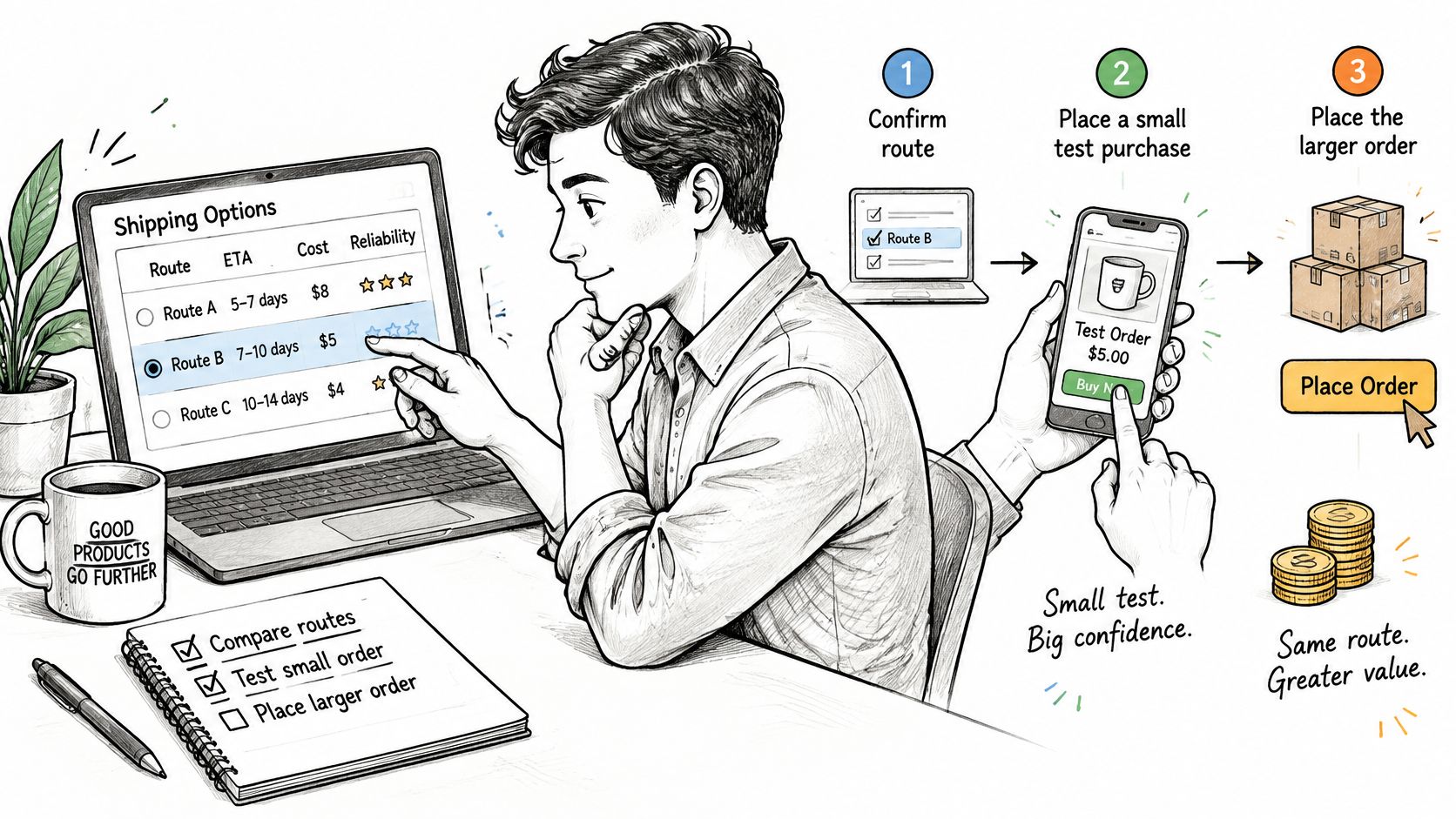
A route can look right and still fail at delivery. The asset may be correct while the network is wrong, or the address may sit in the right wallet on the wrong chain. A small test finds the break while the amount at risk barely matters.
Keep the test low enough that losing it would not matter, and run it through the same provider, asset and network you plan to use afterward. A test on a different route says nothing about the one you intend.
- Select the route and the asset that fits your purpose.
- Enter a small amount and paste the wallet address you already checked.
- Complete checkout and record the transaction ID.
- Confirm the crypto arrives, and compare the received quantity with the quote.
- If it arrives correctly, buy the size you planned. If it does not, go back to the address and network before you pay again.
A correct test confirms the route, the address and the network in one run. Only then does a larger purchase make sense. Scaling up on a failed or unopened test repeats the same mistake with more money attached.
NexaPay suits the test-first approach when your route ends at a wallet you control. You enter an amount, choose the crypto and pay by card, Apple Pay or Google Pay on a hosted checkout page, and the asset is delivered to an external wallet you name. No account is required for a basic purchase, and no charge occurs until you enter your card details and confirm the payment, so running the small test costs little.